


null
122 - Renewed
Overview
Specification
Installation
$79.99$39.99
Buy
122 - Renewed
$79.99$39.99
Overview
Specification
Installation

122 Dash Cam - Renewed

Nextbase

Was: $79.99
Now: $39.99
(No reviews yet) Write a Review
SKU:
NBDVR122-A
UPC:
5060910800706
Maximum Purchase:
3 units
Resolution:
720p HD @ 30fps
Screen:
2” LED screen
Image Stabilization:
No
WiFi:
No
Night vision:
Yes, Night Vision
Bluetooth:
No
What3Words:
No
GPS:
No
Intelligent Parking Mode:
Yes
Emergency Response:
No
Alexa:
No
Polarising Filter:
No
Viewing Angle:
120°
Lens:
4 layer f2.2
Module Compatibility:
No
hide-field:
hide-field,show_bestbuy,Dashboard Category
show_bestbuy:
false
Dashboard Category:
Renewed
bundle-builder-link:
/dash-cams/122-renewed-build-own-bundle/
Adding to cart… The item has been added

Renewed 122

Protection at a great price

Resolution

Intelligent Parking Mode

Click & Go Pro Mount

G-Sensor

Loop Recording

Night Vision

Wide Viewing Angle

Screen

Sold out
Tested, sanitised, approved 
Looks as good as new
Backed by 6-month warranty

720p HD recording

Capture the road ahead

The 122 Dash Cam records in 720p resolution at 30 frames per second—known as standard HD—and uses an improved 4G lens.

*An SD card designed for Dash Cam use is recommended with this model.

Car icon with a purple parking location marker.

With Intelligent Parking, your Dash Cam will start recording when someone bumps your car.

Icon representing image recognition technology with mountains and sun.

Detect knocks or bumps

With its G Force sensor active, power consumption is incredibly low. So your Dash Cam can use its internal battery to detect knocks or bumps for longer.

Icon of a bottle with a purple cap and light beams.

Click&Go PRO Mount

Easy to attach

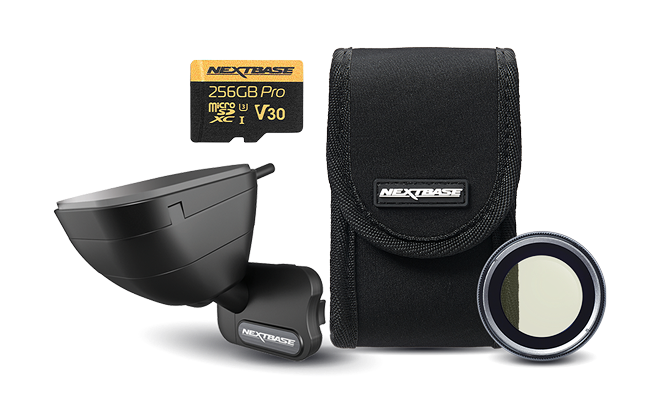
The exclusive Click&Go PRO mount uses high-strength magnets, instantly linking the mount's power source to the Dash Cam.

Discover our accessories

  • Exclusive new magnet-based patented design

    Sold out
  • Keep your Dash Cam protected

    Sold out
  • For all-round protection

    Sold out
  • Capture more with 32GB U3 microsd card

    Sold out
Learn more about the 122

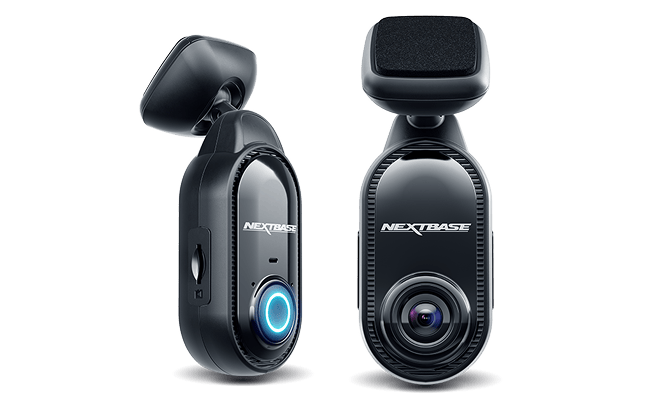
Small and lighter than your phone, the 122 provides protection at a great price.

100% Certified.
Up to 30%
Savings

Get great value with Dash Cams that were previously returned, exchanged or used as demos. Backed by a 6 month warranty.  

Need help with setup and installation?

Best Buy can help. Set an appointment with your local store.

Customer Reviews

Need help with setup and installation?

Best Buy can help. Set an appointment with your local store.

100% Certified.
Up to 30%
Savings

Get great value with Dash Cams that were previously returned, exchanged or used as demos. Backed by a 6 month warranty.

Need help with setup and installation?

Best Buy can help. Set an appointment with your local store.

100% Certified.
Up to 30%
Savings

Get great value with Dash Cams that were previously returned, exchanged or used as demos. Backed by a 6 month warranty.  

Dash Cam Essentials
HD Resolution
Intelligent Parking Mode
Click &Go Pro Mount
G sensor
loop recording
Enhanced Night Vision
Wide Viewing Angle

HD Resolution

720p @ 30fps image quality

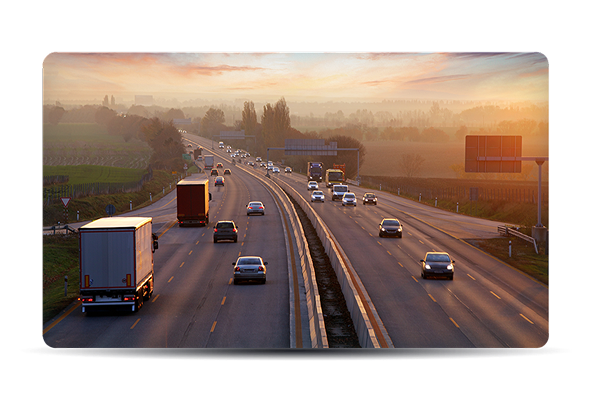
Nextbase 122 Dash Cams record at 720p resolution, with a full 30 frames per second. This is also known as Standard HD and is similar to some HD TV broadcasts.

A dashboard camera displaying a highway scene with vehicles and an overpass.
1080p @ 60fps image quality

The 222 and 322GW models record in a higher resolution of 1080p (1980×1080 pixels), known as full HD, with the latter able to record at a higher 60 frames per second. This makes the videos smoother than ever before, and means that there is twice the number of frames every second to capture important number plate detail. Our 1080p dash cam will allow you to watch back your footage in excellent quality.


1440p @ 30fps image quality

The 422GW and 522GW in car cameras in the Series 2 range record at 1440p with 30 frames per second. This higher quality recording is known as Quad HD and is four times the definition of standard HD. This means that there is four times the number of pixels (2560×1440 pixels) and therefore the images are sharper and more defined. This means that you can read number plates and detail at a greater distance and also zoom in on detail without losing quality. Our most comprehensive HD dash cam.

Parking Mode

How does this work?

Intelligent Parking Mode records any bump or physical movement on the vehicle while your car is parked. With a parking camera for your car, you will know exactly when and where your car has been bumped. This car security camera system adds an extra layer of protection to give you greater peace of mind.

How does this work?
Turn it 'ON' or 'OFF'

Intelligent Parking Mode is an option that can be selected in the menu of every new Series 2 Dash Cam. As soon as you park and the ignition is turned off, the Dash Cam will automatically switch into Parking Mode by shutting down everything except the G Force sensor. The sensitivity of the G Force sensor is then increased dramatically.

G Force Assistance

Power consumption is incredibly low with only the G Force sensor active, meaning the Dash Cam can use its internal battery to detect any knock or bump to your vehicle for longer a week.


If your car is bumped and the G Force sensor registers movement, your Nextbase Dash Cam will automatically switch on, record for 30 seconds, and then shut down again. If you are unlucky enough to be hit twice in a row, the Dash Cam would automatically record again and capture both events. The car parking camera will be your best ally in case of an accident.

G Force Assistance
GPS device displaying a highway scene with vehicles and a bridge.

At a glance

720p HD @ 30fps
2" LED screen
No
No
Yes, Night Vision
No
No
No
Yes
No
No
No
120°
4 Layer F2.2
No

Wide Viewing Angle

120 Degrees

Entry-level

The entry-level 122 Dash Cam captures video with a viewing angle of 120 degrees. This is enough to see the whole road and is ideal for any driver in most circumstances.

Dashboard camera displaying a sunset view of a highway with vehicles.

140 Degrees

Capture more detail
Capture more detail

From the 222 model and up, the viewing angle increases to 140 degrees. This means that you are able to capture more detail either side, such as the pavements and road signs.

Given this, you might think that it would be even better to go to 160 or even 180-degree lenses, but in reality there is a sweet spot at which the viewing angle is wide but the images of cars in front of you are not distorted. As soon as you go above around 150 degrees with a lens, this distortion makes Dash Cam videos fairly redundant as evidence. This is why we believe that using a high-quality lens with a clear image and a wide view is the best option.

Loop Recording

What is loop recording on a Dash Cam?

Loop recording on a Dash Cam allows for continuous recording, even if the SD memory card reaches full capacity. This means older files are overwritten once the SD card reaches its file size limit. The Dash Cam will be recording on a continuous loop when powered on, so will always be recording.


In the event of an incident, any files that have been protected by activation of the G-Sensor, or by manually pressing the File Protect button, will not be overwritten and will stay on the SD card. This means important clips that can be used for insurance purposes or sending to the Police will stay locked on the card and will not be deleted.

What is loop recording on a Dash Cam?
Assorted file segmentation

When reviewing footage to share, instead of recording one large file, loop recording sorts each file into manageable segments at around three minutes. This makes the file easy to download and transfer. This is particularly useful for wi-fi enabled Dash Cams, as the file can be downloaded quickly and shared to your phone or tablet.

Regular SD card formatting is essential

With loop recording, the card will need to be formatted at some point. This is when there is a build-up of protected files stored on the card, which shortens the recording time for the Dash Cam. It is generally recommended to format the SD card once a month to free up space. The card can easily be formatted via the set-up to delete all files, including any protected files.

Regular SD card formatting is essential
Dash Cam loop recording time

The default recording time for most Series 2 Dash Cams is one minute for each file, making sizes manageable and easy to view, but this can be increased to three minutes. At 1080p HD, you will get up to four hours of recording before the cam loops over.


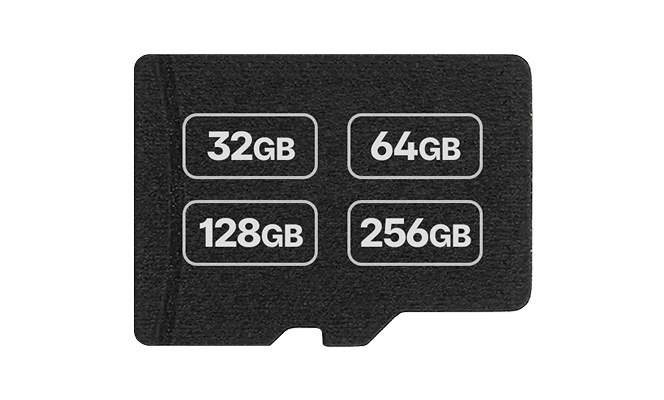
The volume of recorded data depends on the size of your SD card. The 32GB records around 2 hours of footage. The 64GB around 4 hours and the 128GB around 8 hours.


By altering the recording resolution, or adding a rear camera, the recording capacity can be either increased or decreased. For example, recording at 720p resolution will increase the recording time compared with recording at 4K Ultra HD.

Click&Go PRO Mount

Magnetic Power Mount

Our exclusive Click&Go PRO™ Car Mount has integrated magnetic power connectors so you can install and remove your Dash Cam with just one hand. The high strength neodymium magnets on the mount and Dash Cam click themselves together so you are ready to go.

Magnetic Power Mount
Installation
Installation

The power cable installs directly into the mount, allowing the Dash Cam to be completely wireless. All Series 2 Dash Cams include the Click&Go PRO™ mount as standard, with a 3M adhesive pad as the default fitting method.There are over 115 patents and registered designs worldwide covering the Series 2 Dash Cams, mounts and modules.

G-Sensor

What is a G-Sensor?

A G-Sensor is an accelerometer that registers values based on the amount of force applied during an impact. When a pre-set value is reached, this will cause the recorded footage to be protected and moved into a folder that cannot be overwritten by any further footage you record. These values are set by your Dash Cam’s firmware upon installation.

What is a G-Sensor?
Benefits

The benefit of having a built-in G-Sensor is if the vehicle was involved in an incident, the file would become protected automatically, ensuring the image wouldn’t be overwritten by the standard auto-delete function on the Dash Cam.

When activated
When activated

The padlock will appear in the centre of the screen when the G-Sensor had been activated, therefore indicating to the driver that the file is being locked. This can give the driver extra peace of mind in knowing that their important footage is stored away safely and can be viewed later, without the need to remove the Dash Cam immediately after an incident has taken place.

Triggered by other conditions

The G-Sensor can also be triggered by other factors such as potholes on the road, heavy acceleration and braking, or speed bumps. This can be useful in protecting other important footage, but the G-Sensor setting can be adjusted depending on the driving environment or vehicle being driven if too many files are being automatically protected by the G-Sensor.

Triggered by other conditions
How do I calibrate a Dash Cam G-Sensor?

The G-Sensor can be calibrated via the video menu option on the Dash Cam. The G-Sensor can be adjusted or turned off via this setting. The options are set to high, medium, low and off. The higher the G-Force setting, the higher the sensitivity, meaning more files will be protected.

Enhanced Night Vision

The feature for low-light conditions

Our feature-filled 322GW, 422GW & 522GW Dash Cams have Nextbase Enhanced Night Vision, capable of picking up the finer details such as number plates and road signs even in extreme low-light conditions. The 422GW and 522GW, with a 6-layer f1.3 lens, are able to record at 1440p and use the latest light sensor technology to capture and process superior image quality. A night vision dash cam will allow getting a clear view of your surroundings, even at night.

Cars driving on a wet road at night with colorful reflections.

Setup & install guide

How does it work?

Control how you pay with flexible monthly payments on your credit card.

Step 1
Choose Nextbase Pay during checkout
Step 2
Choose a payment plan that suits your budget
Step 3
Complete your purchase
ssc Safe, Secure & Certified payments
Accepted cards